Insights
Your Entity Review Flagged an Issue. Now What?
Meet the EntityScan Assistant—built to help lenders turn EntityScan Report findings into practical next steps.
Until recently, when I demonstrated EntityScan, there was a distinction I felt obligated to explain.
Like a law firm's entity review, the EntityScan Report identifies problems in a borrower's entity documents. But when a finding required action—remedying a deficiency, or using the lender's preferred signer—a law firm could help the lender work through it, including preparing the resolutions and other documents needed to move forward. EntityScan could not.
I was candid about that limitation. I did not enjoy explaining it.
That is why we built the EntityScan Assistant.
The practical question
A lender looking at a finding has a practical question: What do I do about it?
The report might identify a missing approval, conflicting management provisions, or an unsigned governing agreement. Understanding the finding is one task. Figuring out the next step—and getting it done—is another.
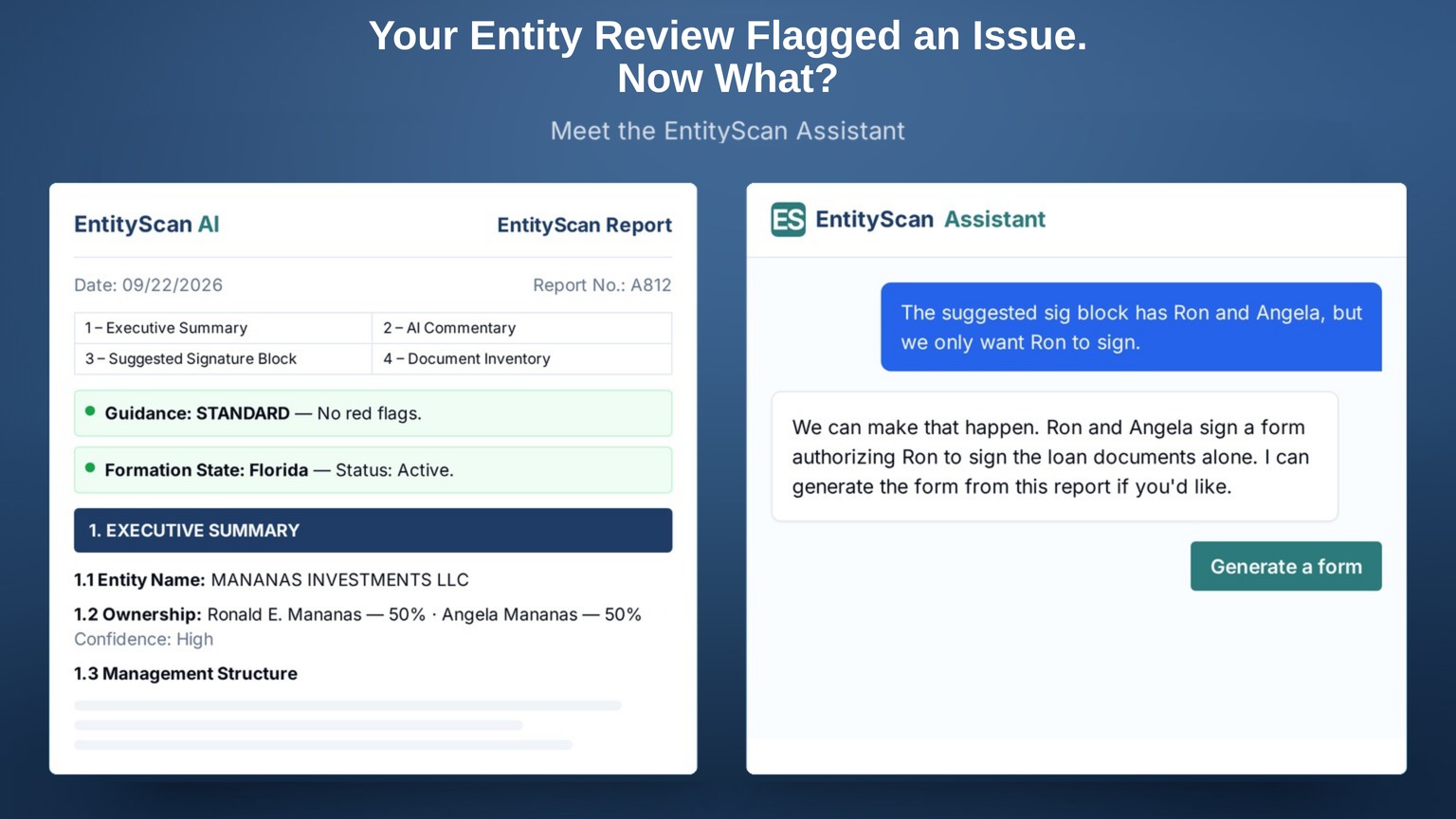
The EntityScan Assistant brings help with that next step. Lenders can ask questions in plain English, get answers grounded in the EntityScan report, and work through findings and signing requirements. When needed, the Assistant can also generate forms that confirm who may sign or set the conditions to closing.
Three situations illustrate where that help becomes useful.
The suggested signature block already addressed it
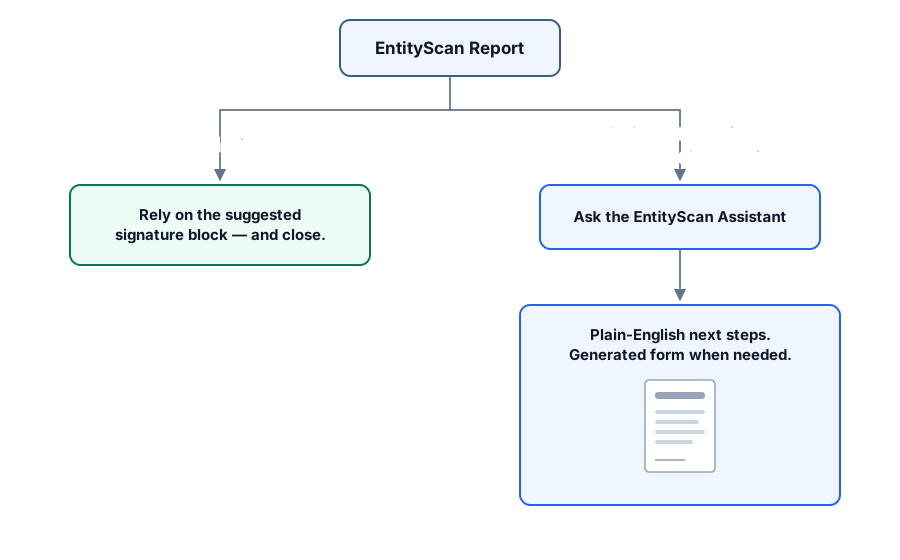
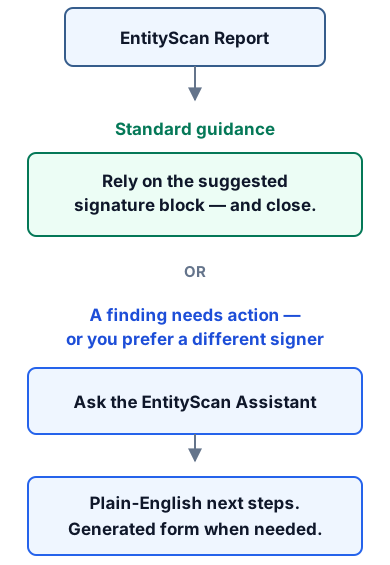
EntityScan is trained to suggest a signature block that mitigates signer authority issues whenever possible. A conflict between organizational documents, for example, may be addressed by including multiple signers and/or signing capacities.
That is an important distinction: ambiguity regarding management authority does not need to delay closing when the suggested signature block mitigates that ambiguity.
When an EntityScan report is issued with "Standard guidance" that means no further entity action is needed when the lender uses the suggested signature block. The lender can move forward with the closing process.
A finding needs to be worked through
Other findings can require more attention. Perhaps the governing agreement calls for approval before the entity incurs new debt, or a document needed for the review is missing.
The lender can ask the Assistant what the report identified, why it matters, and the steps required to remedy the issue.
When called for, the Assistant can generate forms that address many of the most common entity issues that arise — documents that confirm who may sign or set the conditions to closing. Lenders can also use their own forms.
The Assistant helps connect the finding to the work needed to address it.
You want a different signer
The EntityScan Assistant can also be useful when there are no outstanding entity issues, but the lender wants the loan documents to be signed by a specific person.
Suppose the suggested signature block calls for Ron and Angela to sign, but the lender wants only Ron signing the documents. Tell it to the Assistant: "We only want Ron to sign."
In most cases the Assistant will suggest a form in which everyone with current signing authority confirms the preferred signer may sign alone — and it can generate that form using information from the report.
A preference for a different signer does not have to send the lender back to the beginning of the review. It can start with a question inside the Assistant and be fulfilled with an Assistant-generated form.
Included help, with a path to counsel
Unlimited EntityScan Assistant questions are included with every EntityScan order at no additional charge. Each generated form uses one report credit — or the lender can use their own comparable forms.
The Assistant's help is grounded in the report. Matters requiring legal judgment or assistance can be referred to expert legal counsel directly from the EntityScan customer portal.
The sentence I get to retire
I no longer have to say that EntityScan can't help when the report identifies an issue requiring further action.
The report still does what it always did: accurate analysis built on more than 9,000 attorney-prepared entity reviews, and a suggested signature block that aligns with attorney-prepared reviews over 99% of the time. Now the lender can ask questions, work through the next steps, and generate an appropriate form when called for—all within the EntityScan workflow.
If you saw EntityScan before the Assistant, this is something new I'd like you to see.
See how the report and the Assistant work together, or schedule a demo to discuss your team's workflow.
Gary Highland is the Founder and CEO of EntityScan AI and Highland Law, with over 30 years of experience in commercial real estate finance. He previously founded GoDocs, the commercial lending industry's leading loan document automation platform.